A QR code sign is the easiest way to get photos from every wedding guest. They scan it, a camera opens on their phone, and everything they shoot goes into one album. But a sign only works if people notice it and know what it's for. Here's how to get both right.
What to write on the sign
Keep it short. People read signs at a glance, usually with a drink in hand. Say what to do and why it's fun.
A few headline ideas:
- "Be our wedding photographer 📸"
- "Capture the night for us"
- "Scan, shoot, see it tomorrow"
- "Our disposable camera is your phone"
- "Help us see the day through your eyes"
And a line underneath:
- "Scan to take photos — no app needed."
- "Photos develop an hour after you take them."
- "Every shot lands in our album."
If you're using a password, put it right on the sign, like "Password: ourwedding". Guests enter it before they can shoot.
Where to put the signs
One big sign by the entrance is easy to miss. A few smaller ones where people already pause work much better:
- On every table, in a small frame or stand
- At the bar, where people wait with a free hand
- By the guest book or card box
- Near the dance floor
- On the dessert table
Small and frequent beats big and once.
Design tips
- Make the code big enough to scan from a seat. Postcard size works on a table.
- High contrast. Dark code on a light background scans most reliably.
- Match your wedding colors everywhere except the code itself.
- Test it with a couple of different phones before printing them all.
Making the sign with Dispo88
Dispo88's Event tier comes with a QR poster builder:
- Create a camera and upgrade it to Event ($39 CAD, one time).
- Open QR Poster in the camera's settings.
- Choose a style (minimal, retro, bold, wedding, party or film), then set your colors, headline, and subline.
- Download it or print it straight from the page.
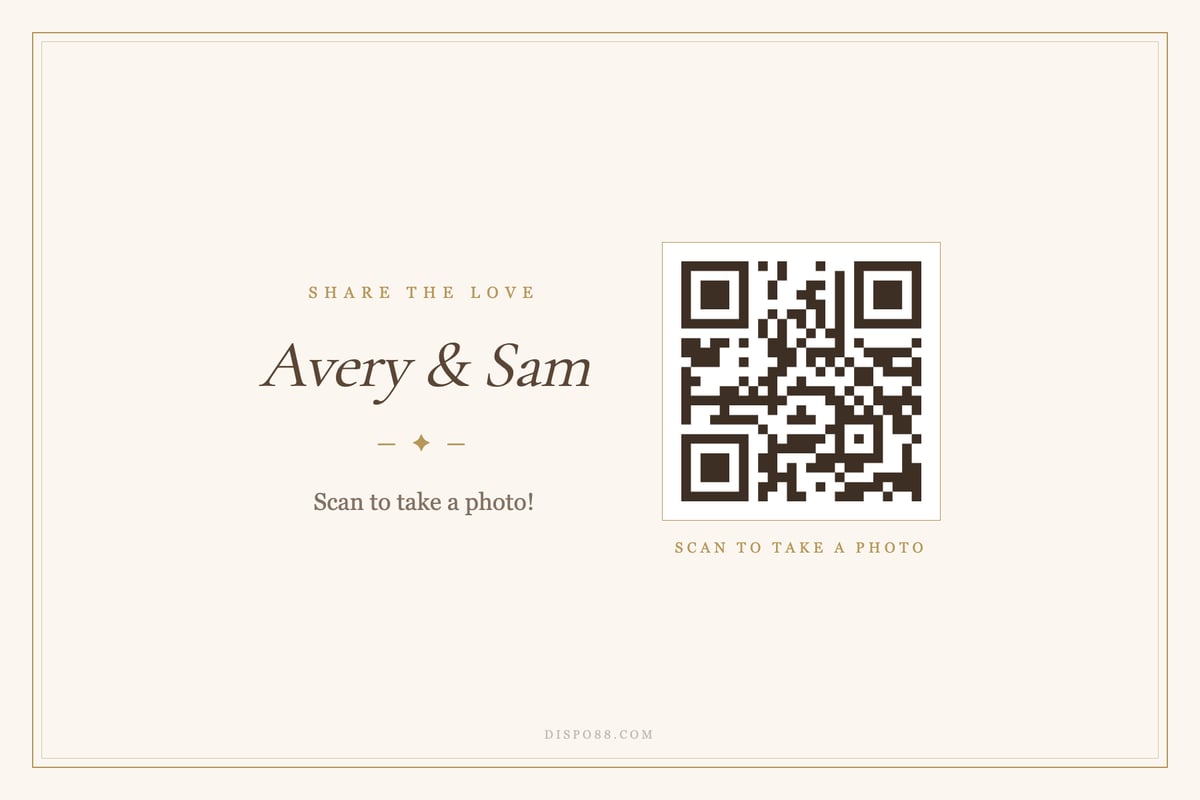
The wedding style.
The poster is postcard-sized, so it drops right into a table frame. Event also includes a custom guest hint (the message guests see before they shoot), camera lock for the end of the night, and export of every photo as a zip. More on what Event includes.
Try the demo camera Create your wedding camera
FAQ
What should a wedding QR code sign say?
A short headline that tells guests what to do ("Be our wedding photographer"), plus one line on how ("Scan to take photos — no app needed").
How many QR code signs do I need?
One per table is a good rule, plus a couple at the bar and entrance.
Do guests need an app to use the QR code?
No. With Dispo88, the camera opens in their phone's browser after they scan. Guests don't need an account.
Can guests see the photos afterwards?
Yes. Every guest can browse the whole album, on any camera. Each photo appears an hour after it's taken.
More on QR codes at events: How to collect photos from your guests with a QR code