The best thing about a real disposable camera is that it just works.
You pick it up, you shoot, you hand it to the next person. Nobody has to set anything up. Nobody has to log in. There's no onboarding. The camera is just there and it does its thing.
That's a harder thing to achieve in software than you'd think. Most photo apps require a download, an account, permissions, a tutorial, at least two notifications asking if you want to enable push alerts.
Dispo88 is built to work the other way. You open a link and it works.
What "Online Disposable Camera" Actually Means
Dispo88 runs entirely in your web browser. On your phone, you open a link, your camera turns on, you take photos, and they go into a shared album. That's the whole flow.
There's no app to find in the App Store or Google Play. No download. No storage space used on the guest's phone beyond whatever the browser needs to run.
For the person who created the camera, there's an account — that's how you own and manage it. But for everyone else who's contributing photos? They just open the link. Nothing more.
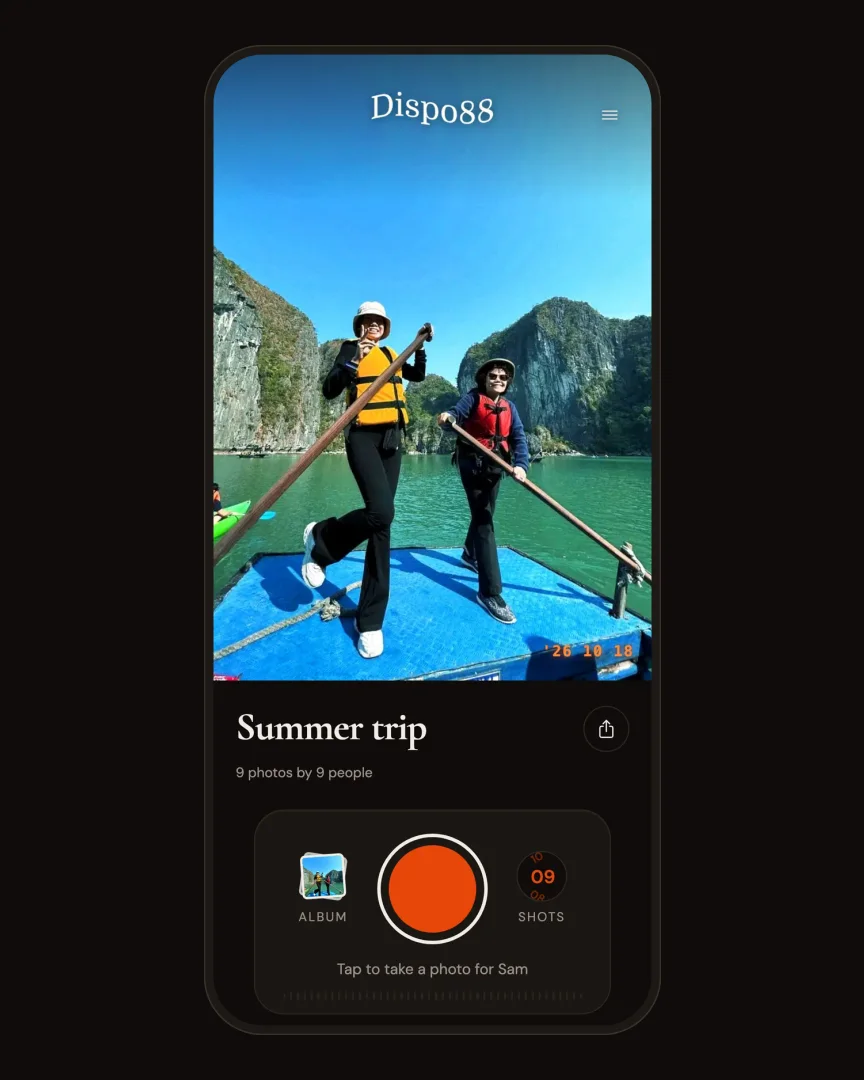
No app: the camera opens right in the browser.
See it in action:
Why This Matters for Events
Think about any time you've tried to get a group of people onto a new app.
"Everyone download this," you say. Three people do it immediately. One person says they will but doesn't. Two people say their phone doesn't have storage. One person downloads it but gets stuck at the sign-in screen and gives up. By the time everyone's set up, you've lost fifteen minutes and half the group has wandered off.
With Dispo88, you share a link and people open it. That's as far as the friction goes. No download required means no drop-off during setup. You share the link and by the time you've looked up, people are already shooting.
Works on Any Modern Phone
Because it's browser-based, Dispo88 doesn't care whether your guests have iPhones or Androids, whether their operating system is up to date, or whether they're on the latest version of anything.
As long as they have a modern browser — which every phone sold in the last several years does — they can open the link and use the camera.
This matters more than it might seem. Weddings, family reunions, work events — these aren't situations where everyone has the same phone setup. When you can hand a link to a 70-year-old on an older Android and a 20-year-old on a new iPhone and they both just work, that's actually useful.
The Disposable Camera Part
Dispo88 isn't just online — it specifically recreates the experience of a real disposable camera.
Photos develop after a timer. You shoot without seeing your results right away. An hour after each shot, it shows up in the album (Event cameras can pick anywhere from 10 minutes to 24 hours).
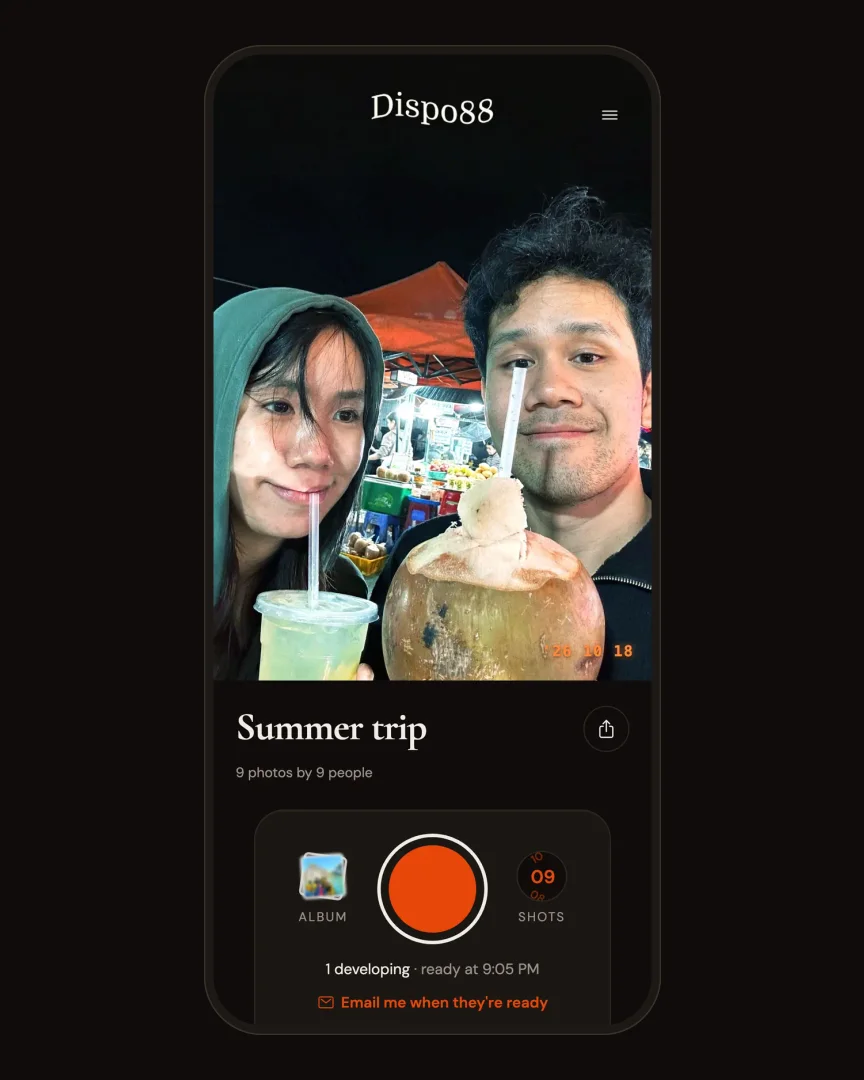
Fresh shots develop for an hour, like film.
This is the part that makes it feel different from just a shared photo folder. The anticipation is real. The reveal is its own moment. And because nobody can review their shots while they're shooting, the photos end up more candid and natural than they would be otherwise.
Creating a Camera
If you want to host your own camera (not just contribute to someone else's), you create a free account. (Weighing your options? See the best free disposable camera apps.) Then you create a camera, give it a name, and share the link or QR code with your guests.
The whole setup takes about a minute. You can do it days in advance, test it yourself, and have it ready to share before the event starts.
Try the demo — no sign up needed Create a free account and set up your first camera
The no-download thing sounds like a small detail, but it changes the experience completely. Nobody gets left out because of a setup problem. Everyone just shows up and shoots.